Comparison table
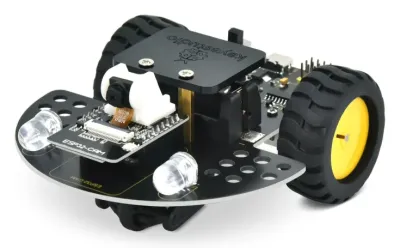 Keyestudio KS5017Keyestudio Keyestudio KS5017Keyestudio | 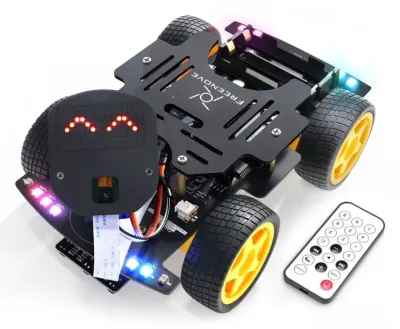 Freenove (ESP32)Freenove Freenove (ESP32)Freenove | 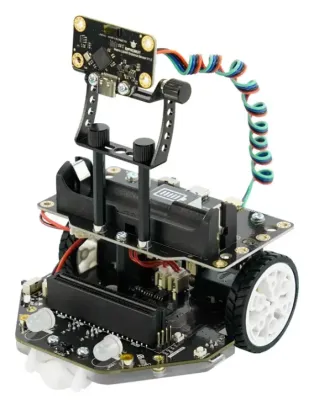 Maqueen Plus V3 + HuskyLensDFRobot Maqueen Plus V3 + HuskyLensDFRobot | 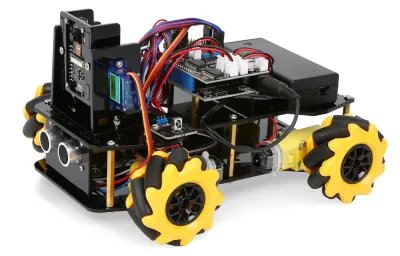 ACEBOTT QD001 + QD002ACEBOTT ACEBOTT QD001 + QD002ACEBOTT | 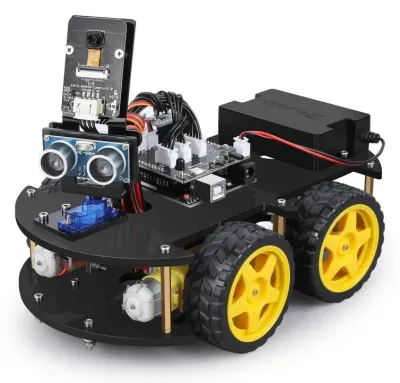 ELEGOO V4.0ELEGOO ELEGOO V4.0ELEGOO | 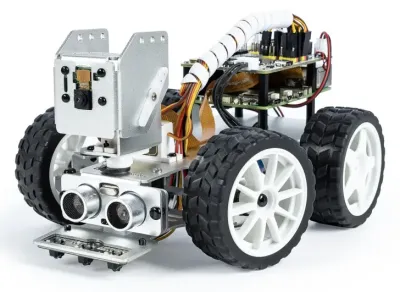 PiCar-XSunFounder PiCar-XSunFounder | 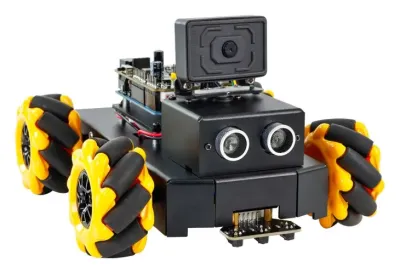 Roboduino V2Yahboom Roboduino V2Yahboom | |
|---|---|---|---|---|---|---|---|
| Price | |||||||
| Price range | $29.99 | $63.99 | $69.90 | $69.99 | $79.99 | $89.99 (no Pi) | $99.99 |
| Version compared | KS5017 kit $29.99 on Amazon US ($32.40 from Keyestudio) | FNK0053 kit $63.99 | Maqueen Plus V3 $69.90 plus the original HuskyLens $34.90 | QD032 kit with camera $69.99 on Amazon US ($94.40 as a bundle from ACEBOTT) | V4.0 with camera $79.99 | Kit without Pi $89.99 | Roboduino V2 $99.99 on Amazon US ($110.00 from Yahboom) |
| Extra equipment needed | A laptop to run the detector, and one 3.7 V 16340 (CR123A-size) rechargeable cell | A laptop to run the detector, two 18650 cells and a charger | The HuskyLens AI camera, a BBC micro:bit, and 4 × AA cells or one 18650 | A laptop to run the detector, an 8.4 V battery pack and a charger | A laptop to run the detector | A Raspberry Pi 4 or 5 and a microSD card | Only a computer to write and upload the following code |
| Spotting and following a cat | |||||||
| Where the cat is recognized | On the laptop | On the laptop | On the HuskyLens camera | On the laptop (or the separate QD003 K210 AI vision pack) | On the laptop | On the Raspberry Pi | On the included ESP32-S3 camera module |
| Recognizes a cat without added models | – No | – No | ● Yes | – No | – No | – No | ● Yes |
| Detector | Any laptop model, such as YOLO | Any laptop model, such as YOLO | HuskyLens built-in object recognition, 20 classes including cat and dog | Any laptop model, such as YOLO | Any laptop model, such as YOLO | Any model the Pi can run, such as YOLO or MediaPipe, with added code | Built-in cat and dog detector, which cannot tell cats from dogs |
| Laptop link for video and driving | Open HTTP, with MJPEG video on port 81 and drive commands as web requests | Open TCP protocol, with JPEG video on port 7000 and text drive commands on port 4000, plus a Python PC client | Not needed, since the micro:bit reads the HuskyLens over I2C | MJPEG video over HTTP, while drive commands from a computer are unconfirmed | MJPEG video on port 81 and JSON drive commands on TCP port 100, with no PC client | Not needed, since the code runs on the Pi (SSH or VNC from a laptop) | Phone app or ROS 2, with no documented plain HTTP stream |
| Following example from the maker | None found | None found | DFRobot tutorial where the car follows a learned object (written for the older Maqueen Plus) | None found | None found | OpenCV and MediaPipe tracking examples | Color and face following lessons, while the cat lesson only beeps and lights an LED |
| Hardware | |||||||
| Drive | 2 wheels plus a caster | 4WD skid steer | 2 wheels with encoders | 4WD Mecanum, moves sideways | 4WD skid steer | Rear drive, servo-steered front wheels | 4WD Mecanum, moves sideways |
| Wheels | Rubber tires | Treaded tires | Not published | 6 cm Mecanum rollers, less grip on carpet | Treaded tires | Not published | 60 mm Mecanum rollers, less grip on carpet |
| Speed | Not published | ~0.5–0.7 m/s (est.) | ~0.3 m/s (DFRobot speed test) | ~0.5 m/s (est.) | ~0.5–0.7 m/s (est.) | Not published | Not published |
| Camera | Fixed ESP32-CAM, 320 × 240 stream in the sample code | ESP32 board camera on a pan-tilt | HuskyLens, bought separately | 3 MP OV3660 on a servo mount | OV2640 on a pan servo | 5 MP Pi camera (OV5647) on a pan-tilt | 2 MP camera on an adjustable mount |
| Battery | 1 × 16340, not included, charges over USB | 2 × 18650, not included | 4 × AA or one 18650, not included | 8.4 V pack, not included, about 2 h | 7.4 V 2000 mAh pack included, about 2 h | 2-cell 18650 pack included | Lithium pack included |
| Programming | |||||||
| Languages and tools | Arduino C++, browser control page | Arduino C++, phone app, Python PC client | MakeCode blocks, JavaScript and Python | Arduino C++, ACECode blocks, Python, phone app | Arduino C++, phone app | Python, Ezblock blocks, phone app | Arduino C++, phone app |
| Programmability | Full SDK | Full SDK | Full SDK | Full SDK | Open source (hardware + software) | Full SDK | Full SDK |
| Purchasing | |||||||
| Suggested ages | 12+ | 12+ | 8+ (est.) | 8+ | 8+ | 10+ | 10+ |
| Shipping to the US | 2–3 days (Amazon) | 2–5 days (Amazon) | ~1–2 weeks (ships from China) | 1–5 days (Amazon) | 2–5 days (Amazon) | 2–5 days (Amazon) | About 2–3 weeks (Amazon, shipped by Yahboom) |
Highlighted cells are the strongest in their row. Speeds marked (est.) are not published by the maker. They come from owner measurements or the makers' gait code, explained on each robot page. Prices are US list prices as of September 2026. Each robot's page has full specs, sources and photos.
Which one fits
- Keyestudio KS5017 is the cheapest at $29.99 and the simplest to script from a laptop, since its sample code serves MJPEG video and takes drive commands as plain web requests. It is tiny, runs on one small cell, and its two wheels and caster can catch on rug edges.
- Freenove ESP32 is the most complete laptop-driven kit, with 4WD treaded tires and an open TCP protocol that its own Python PC client already uses, so a detector can sit between the video and the drive commands. The 18650 cells and charger cost extra.
- Maqueen Plus V3 with a $34.90 HuskyLens recognizes a cat with no laptop at all, and DFRobot has a tutorial where the car follows a learned object. It needs a micro:bit, it is the slowest here at about 0.3 m/s, and the HuskyLens sees less detail than a laptop detector.
- ACEBOTT QD001 + QD002 pairs Mecanum wheels that slide sideways with a 3 MP camera for $69.99 on Amazon. Whether its stock code accepts drive commands from a computer is unconfirmed, so laptop control may need a custom sketch, and Mecanum rollers grip thin carpet less well than tires.
- ELEGOO V4.0 comes with its battery and has fast 1:48 TT motors on a TB6612 driver. Its camera serves MJPEG video and accepts JSON drive commands over Wi-Fi, though there is no PC client and commands pass through the Arduino UNO on their way to the motors.
- PiCar-X runs the detector on a Raspberry Pi, so there is no Wi-Fi video delay, and it has Python lessons and a 5 MP pan-tilt camera. The Pi costs extra, and without an AI accelerator a Pi 4 or 5 runs small detectors at only a few to about ten frames per second (est.).
- Roboduino V2 is the only kit with a camera in the box that spots a cat by itself, and its battery is included. The detector cannot tell cats from dogs, the following has to be coded, the Mecanum wheels grip carpet less well, and Amazon orders ship from Yahboom in about 2–3 weeks.
The robots
Keyestudio ESP32-CAM Vision Smart Car (KS5017)Keyestudio (China)$29.99Freenove 4WD Car Kit for ESP32 (FNK0053)Freenove (China)$63.99DFRobot Maqueen Plus V3DFRobot (China)$69.90ACEBOTT ESP32 Mecanum Camera Car (QD001 + QD002)ACEBOTT (China)$69.99ELEGOO Smart Robot Car Kit V4.0 (with Camera)ELEGOO (China)$79.99PiCar-XSunFounder (China)$89.99 (no Pi)Yahboom Roboduino V2 AI Vision CarYahboom (China)$99.99