What is a robot?
A robot is a machine that can sense the world around it, decide what to do, and then move or act on its own under the control of a computer. Engineers often describe this as the sense–think–act loop. A robot dog feels itself starting to tip over (sense), works out which legs to move (think), and shifts its weight to stay upright (act), and it repeats that loop hundreds of times every second.
The robots in this guide all work this way, and many can be programmed by their owners. They range from $30 classroom cars and four-legged kits to humanoids that cost more than a car. Machines that only follow a fixed mechanical path, such as a wind-up toy, are not robots in this sense, and neither are remote-control cars with no computer making decisions. Home appliances such as robot vacuums and lawn mowers are true robots, but the guide leaves them out to focus on robots built for learning, research, play and companionship.
Every robot in the guide is built from the same handful of parts, listed here roughly from most to least essential.
- The brain, the computer chip that runs the robot's program.
- Power, almost always a rechargeable battery.
- Locomotion and actuators, the motors, servos and mechanisms that make it move.
- Sensors, the parts that let it notice its surroundings and its own body.
- Communication, the links between the robot and a phone, a computer or other robots.
- The body and the software, the frame that holds everything together and the programs that run on the brain.
A robot can work without a camera or without Wi-Fi, but it cannot work without a brain, power and some way to move. Knowing the parts makes it easier to read a product listing, compare two robots or plan a first homemade build.
1. The brain (compute)
The brain is the chip that runs the robot's program. It reads the sensors, decides what to do and sends commands to the motors. The type of brain shapes almost everything else about a robot, including its price, how long the battery lasts, what programming languages it supports and whether it can run modern AI such as object recognition. Most robots in the guide use one of four kinds of brain.
Microcontrollers (Arduino, ESP32, micro:bit)
A microcontroller is a tiny, cheap computer on a single chip. It has no operating system and runs just one program, which starts the instant the power is switched on. Microcontrollers are good at fast, precise timing jobs such as pulsing motors and reading sensors, and they use very little power. They do not have the memory or speed for heavy jobs like recognizing objects in video, so a microcontroller robot usually follows simple rules, such as backing up when the distance sensor sees a wall.
Three names come up most often in the guide.
- Arduino boards, the classic beginner boards programmed in a simplified version of C++. The ELEGOO Smart Robot Car V4.0 is built around an Arduino-compatible UNO board, and the Bittle robot dog runs on an Arduino-class board.
- ESP32 chips from Espressif, which add built-in Wi-Fi and Bluetooth for only a few dollars. They power the mBot2, Codey Rocky, MechDog, Freenove ESP32 car and the newer Bittle X. Many ESP32 robots can be programmed in MicroPython as well as C++.
- The BBC micro:bit, a classroom board that plugs into robots such as the Maqueen Plus V3 and is programmed with Microsoft MakeCode blocks, JavaScript or Python.
Microcontroller robots are usually the least expensive, start instantly and run a long time on a small battery. Their main limit is that anything heavy, such as recognizing a face in a video stream, has to happen somewhere else, often on a phone or laptop connected over Wi-Fi.
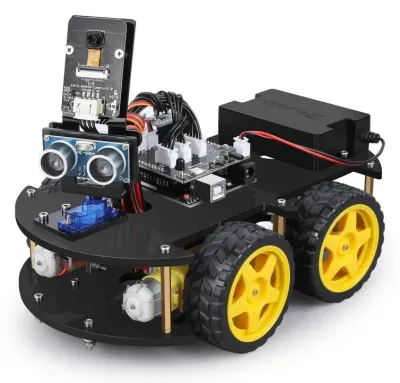 ELEGOO Smart Robot Car Kit V4.0$79.99
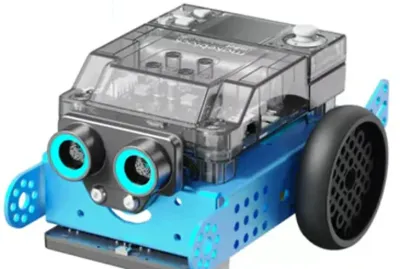 mBot2 / mBot Neo$149.99 – $279.99
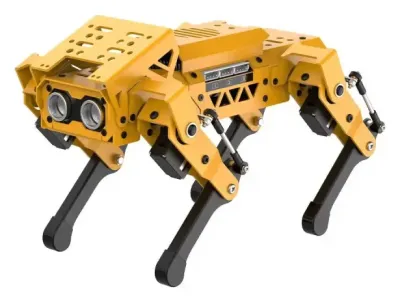 MechDog$299.99 – $569.99
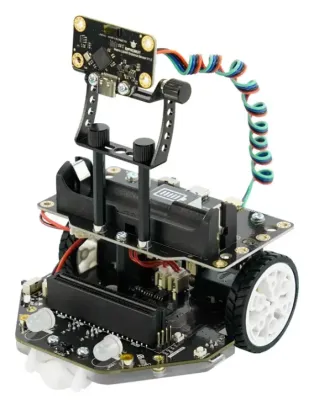 DFRobot Maqueen Plus V3$69.90
Parts to know Arduino UNO R4 Minima ↗ · Espressif ESP32 ↗ · BBC micro:bit ↗ · Teensy 4.1 ↗ (a fast board used in the AR4 robot arm)
Single-board computers (Raspberry Pi)
A single-board computer is a complete computer, with a processor, memory, USB ports and an operating system such as Linux, on a board about the size of a credit card. The best known is the Raspberry Pi. Because it has a full operating system, a Pi can run Python programs, stream video, process camera images with the OpenCV library and handle small AI models. It can also run ROS 2, the robot software framework used in universities and industry. The trade-offs are higher power use, a boot time of 20 seconds or more, and the need to shut it down properly instead of just pulling the power.
The Raspberry Pi is the most common brain among mid-priced programmable robots. The PiCar-X and PiDog from SunFounder use a Pi that the buyer supplies, the Mini Pupper 2 uses a Raspberry Pi Compute Module 4 (a Pi shrunk onto a plug-in card), and the TurtleBot 4 uses a Raspberry Pi 4 to run ROS 2 navigation out of the box.
Many robots carry two brains. A single-board computer does the slower, heavier thinking, such as vision and path planning, while a microcontroller next to it handles split-second motor control. The UGV Rover pairs a Raspberry Pi 5 with an ESP32 that drives the wheels, the XGO-Rider2 pairs a Pi CM5 with an ESP32 that handles motion, and the TurtleBot 3 pairs a Pi with an OpenCR controller board. The same split works well in a homemade robot, since Linux is not built for exact, microsecond-level timing.
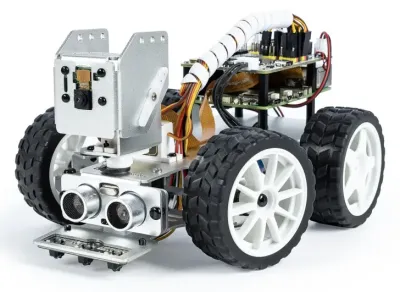 PiCar-X$89.99 (no Pi)
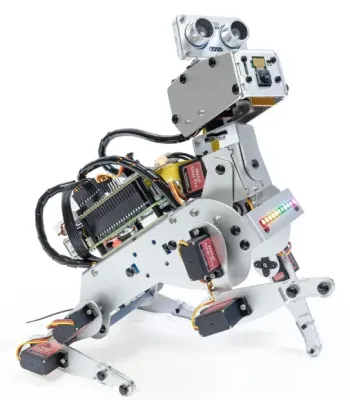 PiDog$179.99
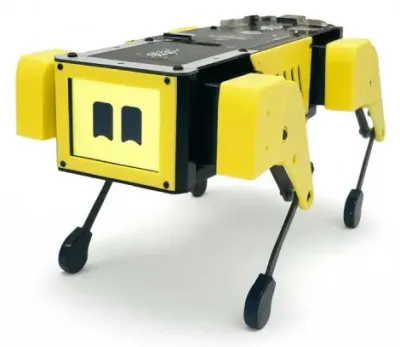 Mini Pupper 2$649
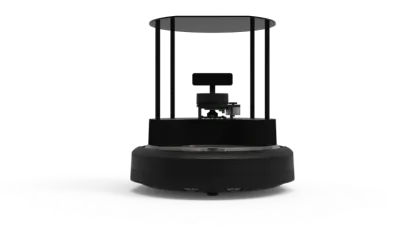 TurtleBot 4 / 4 Lite$1,572 / $2,575
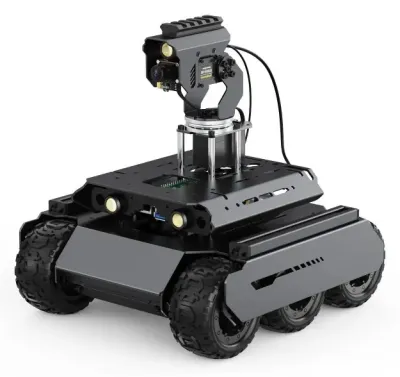 UGV Rover$245 – $727
Parts to know Raspberry Pi 5 ↗ · Raspberry Pi Camera Module 3 ↗
AI computers (NVIDIA Jetson and similar)
Robots that need to recognize objects, follow people or run large neural networks in real time use a small computer with a built-in AI accelerator. The most common is the NVIDIA Jetson family, which pairs ARM processor cores with an NVIDIA graphics processor (GPU) that runs AI models many times faster than a Raspberry Pi can. The original JetBot was a simple two-wheeled car designed to teach AI on a Jetson Nano, while today the Go2 EDU robot dog carries a Jetson Orin NX and the ToddlerBot humanoid uses one to run its walking and vision models. Kits such as the ROSMASTER M1 are sold with a choice of brain, from a Raspberry Pi 5 up to a Jetson Orin Nano, so buyers can pay more for more AI power.
Other chips fill the same role. Rockchip processors with a built-in NPU (neural processing unit) run the Microduck, and D-Robotics RDK boards appear in kits such as the RDK X3 Robot Car. Jetson-class robots cost more and drain batteries faster, but they can run vision and AI on board with no help from another computer.
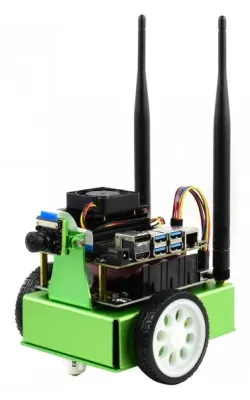 NVIDIA JetBot$399.99 – $499.99…
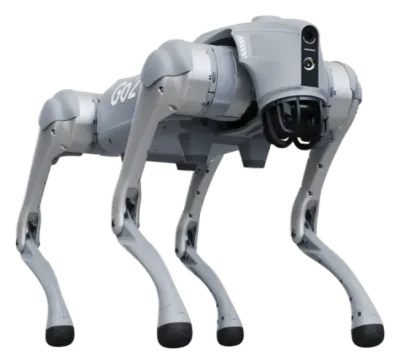 Go2 EDU / EDU Plus$11,190 – $15,600
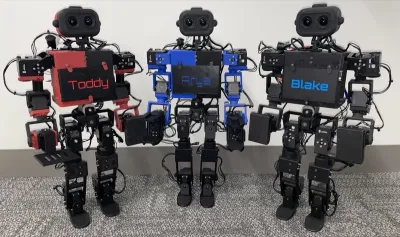 ToddlerBot 2.0~$6,000 DIY · $4,299 built
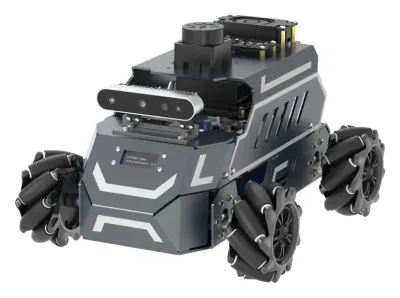 ROSMASTER M1$349.90 – $1,169.90
Parts to know Jetson Orin Nano Super Developer Kit ↗
Custom and closed chips
Many finished consumer robots use a chip chosen by the maker and hidden inside a sealed product. Qualcomm processors like those in phones run Vector, aibo and Amazon Astro, and the consumer versions of the Go2 use an undisclosed 8-core ARM processor. These chips can be very capable, but the owner usually cannot load new programs onto them, so what the robot can do is limited to what the maker's app and updates allow. For a buyer, open or closed is often the most important question about the brain. A robot with an open Raspberry Pi or ESP32 can be reprogrammed for years, while a robot with a closed chip depends on its maker.
Less common brains
A few robots have no real brain on board and are controlled by a laptop instead. Low-cost robot arms such as the SO-101 plug into a computer over USB, and the computer runs the AI that controls them. Research robots often carry a full x86 PC, with the same kind of processor found in laptops, such as the Intel NUC inside Stretch or the Intel Atom inside NAO. Drones use flight controllers, which are specialized microcontroller boards running autopilot software such as PX4, as on the Holybro X500.
2. Power
Every part of a robot runs on electricity, and almost every mobile robot carries it in a rechargeable battery. Power is easy to overlook, but it causes many of the problems in first builds, since motors pull large, sudden bursts of current that can starve the brain and make it reset.
Battery types
- Lithium-ion cells, especially the cylindrical 18650 cell (18 mm wide and 65 mm long), are the most common battery in hobby robots. Two or three cells in a holder power kits such as the PiCar-X, the Freenove ESP32 car and the UGV Rover. Each cell provides about 3.7 volts, so two in series give about 7.4 V.
- Lithium polymer (LiPo) packs are flat, light and can deliver very high current, which is why drones such as the Tello and Crazyflie use them. Built-in LiPo packs also power classroom robots like the mBot2 and Codey Rocky.
- AA batteries still appear on some classroom robots, such as one version of the Maqueen Plus V3. They are easy to find but heavy and weak for their size.
- Large smart battery packs with built-in electronics power big robots. The Scout Mini rover uses a 24 V, 15 Ah pack, and robot dogs like the Go2 use removable packs that slide into the body.
Voltage, capacity and runtime
A battery label shows two important numbers. Voltage (V) is like the pressure pushing electricity through the wires, and it has to match what the motors and electronics expect. Capacity, in milliamp-hours (mAh) or watt-hours (Wh), measures how much energy is stored. Multiplying voltage by amp-hours gives watt-hours, which is the fairest way to compare two batteries.
Runtime depends on how hard the robot works. Small drones fly for only about 7 to 13 minutes because spinning propellers takes a lot of energy, and walking robots use more power than rolling ones. The Vector desk robot is active for about 25 minutes before returning to its charger, the TurtleBot 4 runs for about 2.5 to 4 hours, and the EBO Air 2 pet camera robot lasts 4 to 7 hours. When comparing robots, a short runtime matters less if the robot can recharge itself.
Charging and docking
Most kits charge over USB-C or with a separate charger for their cells. Many home and companion robots, including Vector, Astro, Loona and the TurtleBot 4, drive back to a charging dock on their own, so they stay ready all day without help. Some professional robots use quick-swap packs instead, and the BlueROV2 underwater drone can have its battery replaced in about 30 seconds.
Regulators and protection
Between the battery and the rest of the robot sit a few small but essential circuits. A voltage regulator (often a "buck converter") steps the battery voltage down to the steady 5 V or 3.3 V that chips need. A battery management system (BMS) protects lithium cells from over-charging, over-discharging and short circuits. Robot "HAT" boards that stack on a Raspberry Pi, like SunFounder's Robot HAT on the PiCar-X, combine battery charging with motor and servo connections. In a homemade robot, giving the motors and the brain separate power paths (or at least a good regulator) prevents the most common problem, a computer that reboots every time the motors start.
Lithium batteries store a lot of energy in a small space and must be handled with care. They should be charged with the right charger, never punctured, and stored partly charged. Damaged or swollen packs should be recycled, not used.
Parts to know Step-down voltage regulators (Pololu) ↗ · 3.7 V LiPo cell (Adafruit) ↗ · Battery University guide to lithium batteries ↗
Wall power and tethers
Robots that do not travel often skip the battery. Most robot arms, from the SO-101 to industrial arms like the UR5e, plug into the wall. Some underwater robots receive power and data through a cable, called a tether, that runs back to the surface.
3. Locomotion and actuators
Locomotion is how a robot moves from place to place, and actuators are the parts that create motion, mostly electric motors. Locomotion is the most visible difference between robots and is how the guide sorts them into categories.
Ways to move
- Wheels are the simplest, cheapest and most energy-efficient choice, and wheeled rovers are one of the largest groups in the guide. Most use differential drive, steering by spinning the left and right wheels at different speeds, as on the TurtleBot 4. Four-wheel "skid-steer" cars like the ELEGOO car work the same way. Mecanum wheels, with angled rollers around the rim, let robots like the ROSMASTER M1 slide sideways, and car-style Ackermann steering appears on the PiCar-X and Donkey Car.
- Tracks (tank treads) grip well on rough ground and climb over small bumps, as on Codey Rocky and Vector.
- Legs can climb steps and cross rubble, but they need many motors and constant balancing. The guide covers four-legged robot dogs (quadrupeds) such as Bittle and the Go2, two-legged humanoids such as AiNex and the G1, and six-legged hexapods such as SpiderPi.
- Wheel-legs combine both, with wheels at the ends of legs, as on the XGO-Rider2 and DIABLO. They roll efficiently on flat floors and can lift or crouch to handle bumps.
- Propellers and thrusters move drones through the air and underwater robots like the BlueROV2 through water.
- Robot arms stay in one place and move a gripper instead of the whole body.
A few robots move in rarer ways, such as rolling inside a ball like Sphero BOLT, flapping wings like the Flapper Nimble+, or slithering like a snake. These designs are much less common and harder to build from scratch.
Motors and servos
Nearly every robot moves with electric motors, but there are several kinds, and the kind of motor says a lot about a robot's price and abilities.
DC gear motors
A basic DC motor spins when voltage is applied, and reversing the voltage reverses it. On its own it spins too fast and too weakly to move a robot, so it is paired with a gearbox that trades speed for turning force, called torque. The yellow plastic "TT motor" is found in many kit cars, including the ELEGOO car, and the tiny metal N20 motor drives the Maqueen Plus V3. Because a microcontroller pin cannot supply enough current to run a motor, a small chip called a motor driver sits in between. Better gear motors add an encoder that counts wheel turns, which lets the robot measure how far it has driven. ROS rovers such as the ROSMASTER M1 use encoder motors for this reason.
Parts to know TT gearbox motor (Adafruit) ↗ · TB6612FNG dual motor driver (Pololu) ↗ · More motors and drivers (Pololu) ↗
Hobby servos
A hobby servo is a small box containing a DC motor, a gearbox, a position sensor and a control circuit. Instead of spinning freely, it turns to an exact angle when it receives a pulse signal (PWM), usually within a 180-degree range. Hobby servos are cheap and easy to use, which makes them the standard joint for low-cost legged robots like Bittle, PiDog and the Freenove robot dog. Their weaknesses are plastic gears that can strip, limited strength, and no way of telling the brain where the joint really is or how hard it is pushing.
Parts to know SG92R micro servo (Adafruit) ↗
Smart servos (bus servos)
A smart servo adds a small processor so that it can talk back. Smart servos are chained together on one data cable (a bus), each with its own ID number, and they report their position, temperature and load. That feedback lets a robot sense when a leg touches the ground or when a gripper has grabbed something. ROBOTIS Dynamixel servos are the long-standing research favorite and drive the wheels of the TurtleBot 3, while low-cost Feetech servos such as the STS3215 power the SO-101 arm, LeKiwi and the Open Duck Mini. Smart servos also move the humanoid kits TonyPi and AiNex and the Mini Pupper 2 robot dog.
Parts to know ROBOTIS Dynamixel ↗ · ST3215 serial bus servo (Waveshare) ↗
Brushless motors
A brushless motor (BLDC) has no rubbing brushes inside. Instead, an electronic controller switches the current through its coils in sequence, often with a method called FOC (field-oriented control). Brushless motors are powerful for their weight, efficient and long-lasting. Camera drones use them to spin their propellers, and they are the motor behind the athletic legged robots of the last decade. Robot dogs like the Go2 and humanoids like the G1 use a design called quasi-direct drive, a large flat brushless motor with a small gear reduction. The low gearing lets the joint feel forces and react like a spring, which is what allows these robots to run, jump and recover from a shove. The open-source Pupper v3 brings brushless joints to a smaller, cheaper robot dog.
Brushless motors need a driver board for each motor, which adds cost and wiring, so they are rare in legged robots under about $1,000.
Parts to know ODrive motor controllers ↗ · mjbots moteus controller ↗
Stepper motors
A stepper motor turns in small, fixed steps (often 200 per revolution), so a controller can move it to a precise position by counting steps. Steppers come from the world of 3D printers and CNC machines and are common in desktop and DIY robot arms such as the Dobot Magician, the AR4 and the BCN3D Moveo. They hold position well but are heavy and lose track of position if they are overloaded and skip steps.
Parts to know NEMA 17 stepper motor (Adafruit) ↗ · A4988 stepper driver (Pololu) ↗
Rarer actuators
A handful of robots use hydraulics, which push oil through cylinders for enormous strength, as on the original hydraulic Atlas and BigDog. Others use air (pneumatics) or experimental artificial muscles. These are almost never found in consumer or hobby robots.
How actuators compare
| Actuator | Typical use | Strengths | Weaknesses |
|---|---|---|---|
| DC gear motor | Wheels on kit cars and rovers | Cheap, simple, efficient | Needs a driver chip, no position sense without an encoder |
| Hobby servo | Joints on budget legged robots | Cheap, easy angle control | Weak, fragile gears, no feedback |
| Smart servo | Arms, humanoid kits, mid-range dogs | Reports position and load, one cable for many | Costs more, still geared and fairly slow |
| Brushless motor | Drones, athletic legged robots | Strong, fast, efficient, can sense force | Needs a complex driver per motor, expensive |
| Stepper motor | Desktop and DIY arms | Precise positioning, simple to command | Heavy, can skip steps when overloaded |
4. Sensors
Sensors tell a robot about the world and about its own body. Even the cheapest robots carry a few, and the sensors on board largely decide how smart a robot can act.
- An IMU (inertial measurement unit) combines an accelerometer and a gyroscope to sense tilt and rotation. It is the robot's sense of balance, and every walking, balancing or flying robot depends on one.
- Encoders report how far a wheel or joint has turned, giving the robot a sense of its own movement.
- Ultrasonic sensors measure distance with sound pulses, like a bat. The two round "eyes" on many kit cars, including the ELEGOO car and PiDog, are ultrasonic sensors.
- Infrared and time-of-flight sensors measure distance with light. Downward-facing ones work as line followers and cliff sensors that keep a robot from driving off a table.
- Cameras let a robot recognize faces, objects, colors and markers. Some contain their own AI chip, like the HuskyLens camera that can be added to the Maqueen Plus V3.
- Depth cameras measure how far away each pixel is, so a robot can see obstacles in 3D, as on the JetHexa and CyberDog 2.
- Lidar spins a laser to measure distances all around the robot, which lets it build a map of a room and find its way around. The TurtleBot 3 comes with a small spinning lidar, the Mini Pupper 2 can take one as an add-on, and the Go2 has a 3D lidar built into the front of its body.
- Microphones, touch sensors and bump switches let robots hear voice commands and react to being petted or bumping into things.
Parts to know HC-SR04 ultrasonic sensor (SparkFun) ↗ · VL53L0X time-of-flight sensor (Adafruit) ↗ · BNO085 IMU (Adafruit) ↗ · HuskyLens AI camera (DFRobot) ↗ · RPLIDAR C1 (Slamtec) ↗ · Orbbec Gemini 2 depth camera ↗
5. Communication
Communication covers two jobs. The first is external, connecting the robot to a phone, a computer, a game controller or the internet. The second is internal, the wires that let the brain talk to its motors and sensors.
Wi-Fi
Wi-Fi is the most common link on programmable robots because it is fast enough to stream live video and to let a laptop send code or commands. Raspberry Pi and ESP32 robots nearly all include it. Some robots join a home network, while others create their own hotspot that a phone or laptop connects to directly, as the Tello drone does. Wi-Fi also makes it possible to split the work, where a cheap robot streams video to a laptop that runs heavy AI and sends back driving commands. Its downsides are higher power use and a range limited to roughly the size of a house.
Bluetooth
Bluetooth, especially the low-energy version (BLE), is common on toy, educational and companion robots that pair with a phone or tablet app, such as Sphero BOLT. It uses little power and pairs easily, but it is slower than Wi-Fi and has a range of about 10 meters, so it is better for commands than for video. Bluetooth also connects game controllers, and many robots can be driven with a PlayStation or Xbox controller.
Radio control and long-range links
Drones and outdoor robots often use dedicated 2.4 GHz or 900 MHz radio systems, the same kind used by remote-control planes, which reach hundreds of meters or more. Open-source drones like the Holybro X500 send flight data over telemetry radios using the MAVLink protocol. A few robots, such as the Parrot ANAFI Ai drone, connect over the 4G cellular network so they can be controlled from far away.
Wired connections
A cable is more reliable than a wireless link and often faster. USB is the usual way to load programs onto a microcontroller, and robot arms like the SO-101 stay connected to a computer by USB the whole time. Ethernet network cables link larger robots to development computers, as with the Unitree Z1 arm. Underwater robots such as the BlueROV2 rely on a tether, because radio signals barely travel through water.
Inside the robot
Inside a robot, parts talk over simple wired links called buses. UART (serial) is a two-wire link often used between a Raspberry Pi and its helper microcontroller, as on the UGV Rover. I2C connects small sensors like an IMU with just two wires. Smart servos share their own serial bus, and larger robots use CAN bus, a rugged network borrowed from cars, to connect motor controllers, as on the PiPER arm and the Scout Mini rover. For a DIY builder, knowing which bus a part uses is as important as knowing its voltage.
Cloud connections
Some consumer robots send voice or video to the maker's servers over the internet to do their thinking. This can add clever features, but it also means the robot may lose abilities if the company shuts those servers down, which has happened to companion robots such as Jibo and Moxie. Moxie owners now rely on a community-released local server called OpenMoxie. Robots that do their processing on board, or that have an open SDK, are safer long-term purchases.
6. The body
The body, also called the frame or chassis, holds every other part in place and protects it. Budget kits use acrylic plates or injection-molded plastic, sturdier kits use aluminum brackets (the MechDog has a metal frame), and many open-source designs, including the SO-101 and Open Duck Mini, are 3D-printed so builders can make or repair their own parts. LEGO-based systems like SPIKE Prime let students rebuild the body into new shapes. The body also sets the weight, and every extra gram means more work for the motors and less battery life.
7. Software
Software is what makes the hardware behave like a robot, and it comes in layers.
- Firmware is the low-level code on the microcontroller that runs the motors and reads sensors.
- An operating system, usually Linux, runs on robots with a single-board or AI computer.
- An SDK (software development kit) is the set of tools and libraries the maker provides for writing programs. Beginners often start with drag-and-drop block coding, then move on to Python or C++.
- ROS 2 (Robot Operating System) is a free framework, not really an operating system, that provides ready-made tools for mapping, navigation and connecting parts. It is the standard in research and on robots like the TurtleBot 4.
- Simulators such as Gazebo and MuJoCo let programs be tested on a virtual copy of the robot before running them on the real one.
For any robot meant for learning, the quality of its software and documentation matters as much as its hardware. Each robot page in this guide lists its programmability and SDK.
Using the parts list to choose a robot
Going through a robot part by part shows what it can really do. A few questions cover most buying decisions.
- Brain. Is it an open board (Arduino, ESP32, Raspberry Pi, Jetson) that can be reprogrammed, or a closed chip that only runs the maker's app? Is the brain included, or must it be bought separately, as with the PiCar-X?
- Power. How long does it run, does it dock itself, and are the batteries included and replaceable?
- Actuators. For legged robots and arms, hobby servos mean low cost and simple motions, smart servos mean feedback and better precision, and brushless motors mean athletic movement at a higher price.
- Sensors. A camera allows vision projects, and a lidar or depth camera is needed for real mapping and navigation.
- Communication. Does it need a phone app, a laptop or an internet account to work, and what happens if the maker stops supporting it?
- Software. Does it work with the tools the buyer wants to learn, such as block coding, Python or ROS 2?
First steps toward a DIY robot
Building a robot from parts is a good way to learn, and the parts list above doubles as a shopping list. A common first project is a two-wheeled rover built from the parts below.
- Brain. An ESP32 board or an Arduino, or a Raspberry Pi for camera projects.
- Power. Two 18650 cells in a holder with a protection board, plus a regulator for the electronics.
- Locomotion. Two TT gear motors with wheels, a ball caster and a motor driver board.
- Sensors. An ultrasonic distance sensor and a line-following sensor.
- Communication. The ESP32's built-in Wi-Fi or Bluetooth, for driving it from a phone.
- Body. A pre-cut kit chassis, a 3D-printed plate or even sturdy cardboard.
Many builders start with a kit such as the Freenove ESP32 car or ELEGOO car, which bundles all of these parts with instructions, and then modify it. From there, swapping in a Raspberry Pi and camera leads to vision projects, adding a lidar leads to ROS 2 mapping like the TurtleBot 3, and replacing wheels with servo-driven legs leads to walking robots like Bittle. The Robot Glossary explains any unfamiliar term, and the comparison pages show how real robots combine these parts at different prices.