MuJoCo in brief
MuJoCo stands for Multi-Joint dynamics with Contact. It calculates how a robot's body, joints and motors move, and what happens when its feet, hands or body touch something. It runs much faster than real time on an ordinary laptop. That makes it possible to test a controller thousands of times before risking a real robot.
It is the most common simulator for robot learning research. Most work on robot dogs and humanoids that learn to walk with reinforcement learning passes through MuJoCo or NVIDIA's Isaac Lab. Robot makers such as Unitree, Booster, Fourier and LimX publish MuJoCo models of their robots. They use them to check a trained walking policy before it runs on hardware.
Good fit
- Legged robots, robot arms and robot hands
- Training walking, jumping or grasping with reinforcement learning
- Testing a controller before running it on hardware
- Fast, accurate contact between feet, fingers and the ground
Poor fit
- Photo-realistic camera images for vision training
- Full ROS 2 robots with navigation stacks, out of the box
- Water, air flow and other fluid effects
- Large outdoor worlds with many buildings and cars
History of MuJoCo
Emanuel Todorov, Tom Erez and Yuval Tassa described MuJoCo in a 2012 paper. Todorov's company, Roboti LLC, sold it as a paid product from 2015 to 2021.
Google DeepMind bought MuJoCo in October 2021 and made it free that day. In May 2022, version 2.2.0 made it fully open source under the Apache 2.0 license, which also allows commercial use. DeepMind now aims for a new release in the first week of each month. The latest is version 3.16.0, released on October 14, 2026.
| Date | Milestone |
|---|---|
| 2012 | First paper on MuJoCo |
| July 2015 | MuJoCo Pro 1.0, sold by Roboti LLC |
| October 2021 | Bought by DeepMind and made free (version 2.1.0) |
| May 2022 | Open source under Apache 2.0 (version 2.2.0) |
| October 2023 | Version 3.0 adds MJX for GPUs, soft bodies and SDF collisions |
| February 2025 | MuJoCo Playground released with sim-to-real robot results |
| April 2026 | A DC motor actuator model added in version 3.7.0 |
| October 2026 | Version 3.16.0 |
Robot models and MuJoCo Menagerie
A simulator is only as good as its robot model. MuJoCo reads its own XML format, called MJCF, and can also load the URDF files used by ROS. MJCF describes each body's shape, mass and inertia, each joint's range and friction, and each motor's strength.
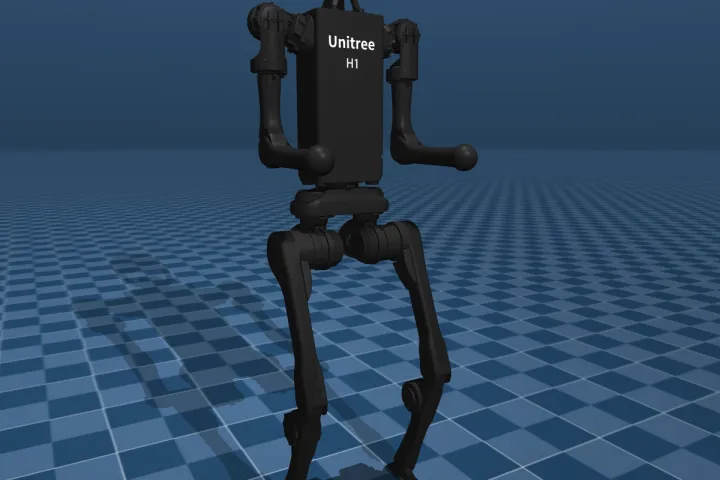
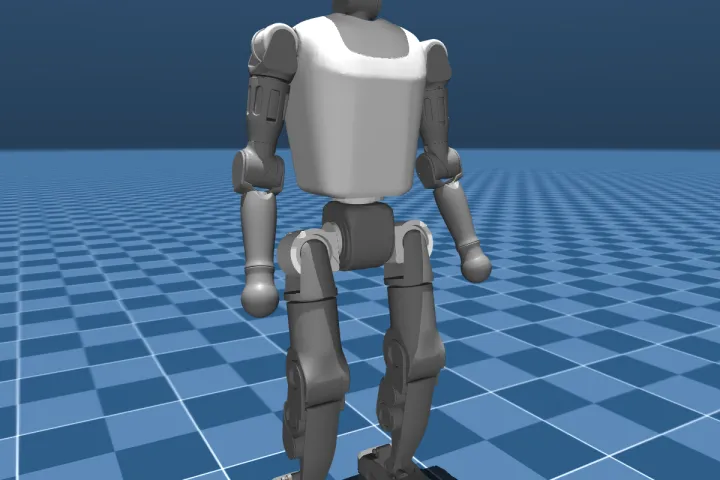
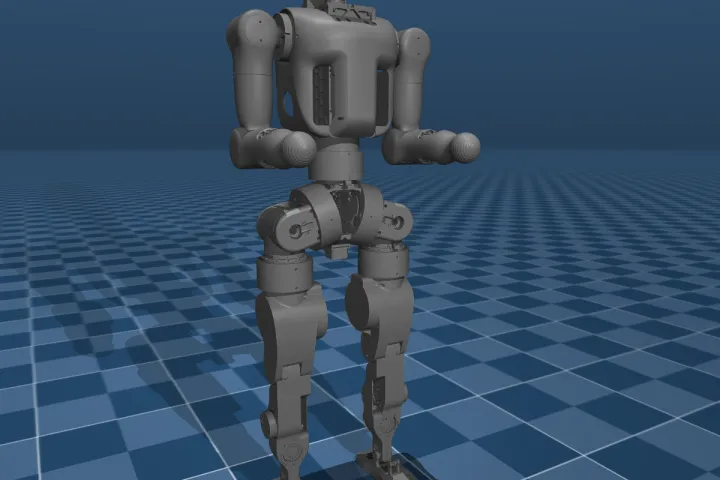
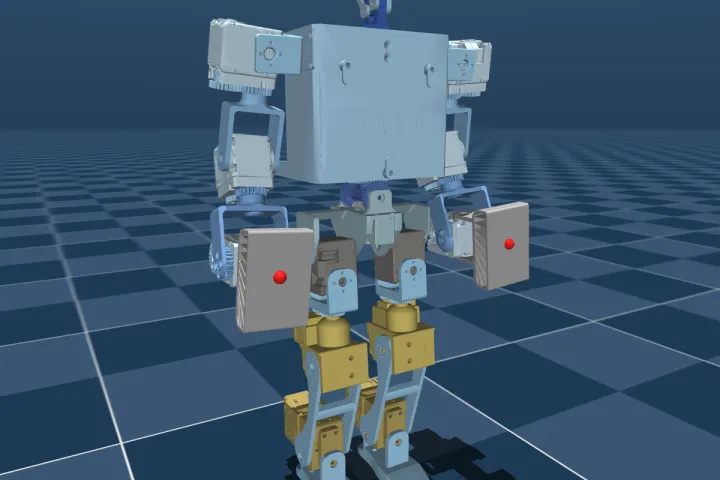
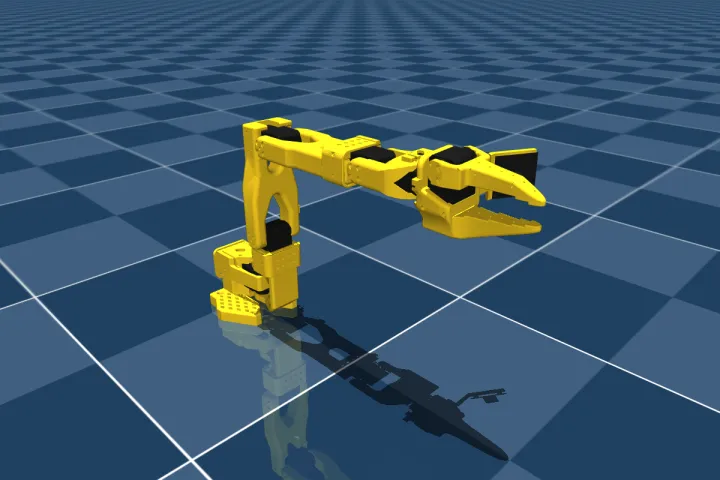
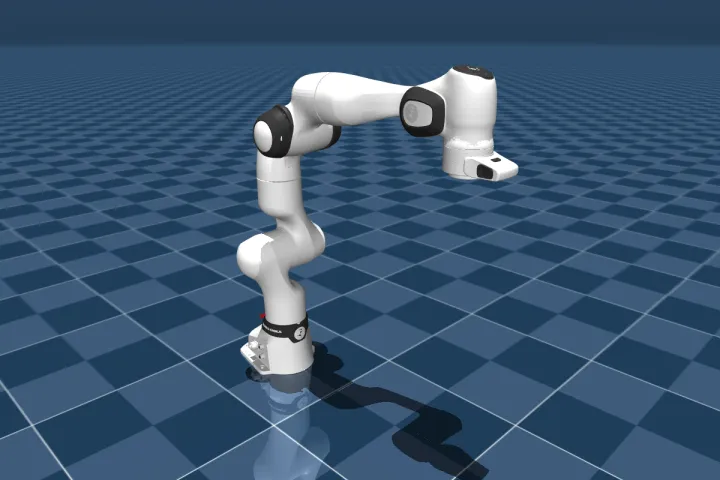
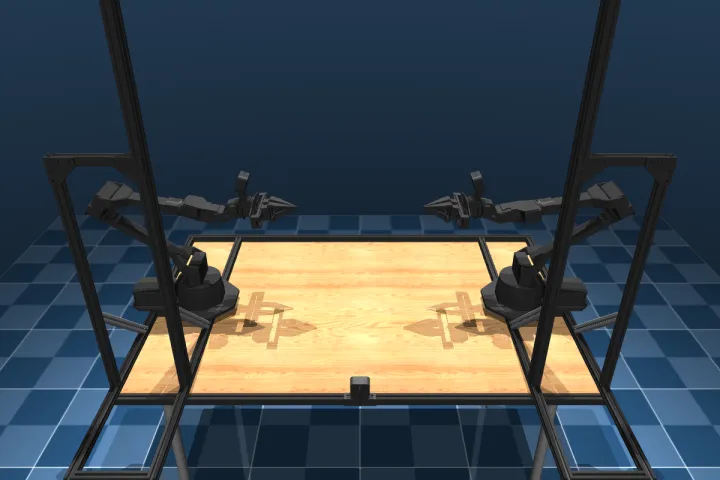
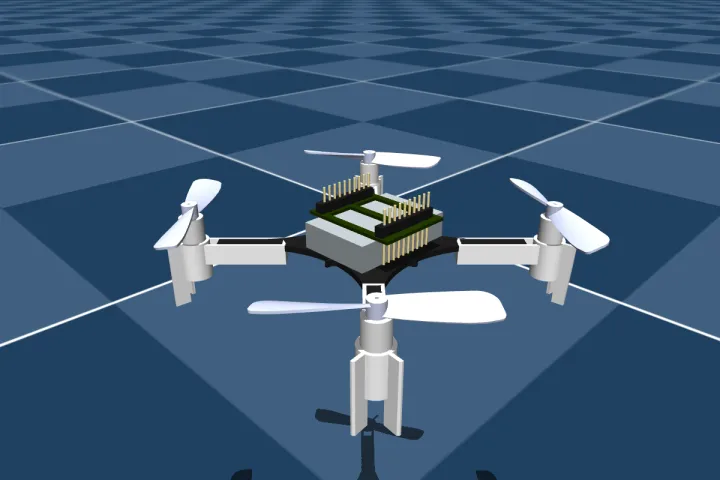
MuJoCo Menagerie is DeepMind's collection of ready-made models of real robots. It held 71 models in October 2026, including robot dogs, humanoids, arms, hands, mobile robots and a drone. Each model carries its own license, from the robot's maker or the person who built it. The screenshots below were rendered from Menagerie models.
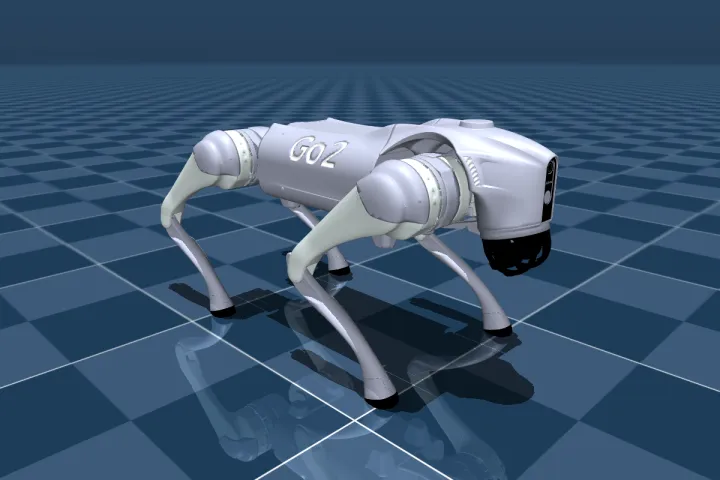 Unitree Go2
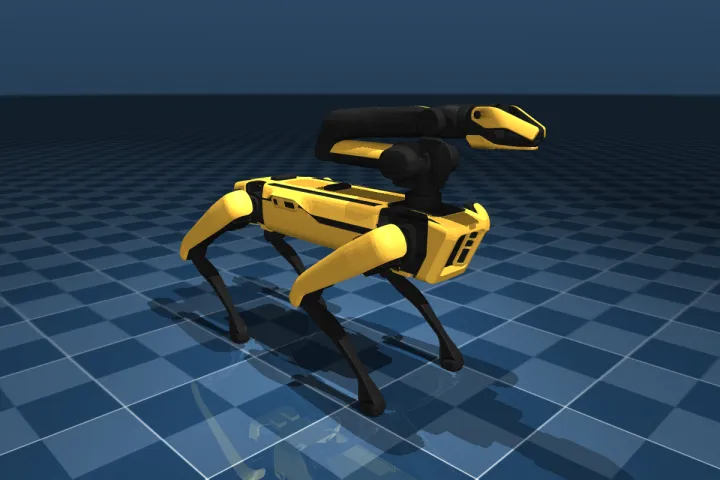 Spot with arm
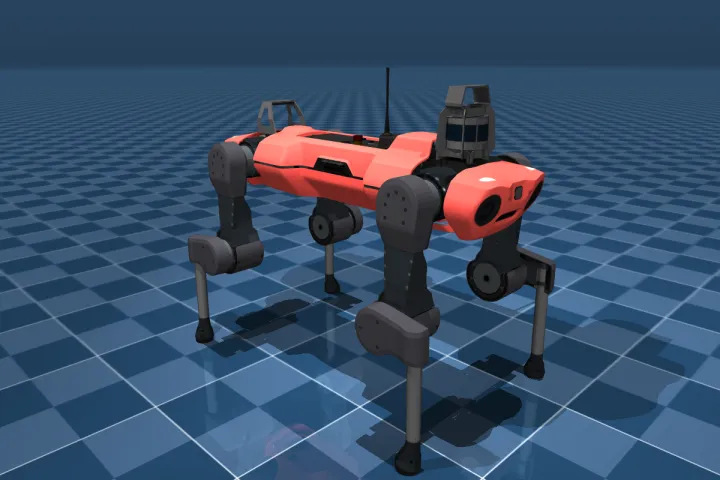 ANYmal C
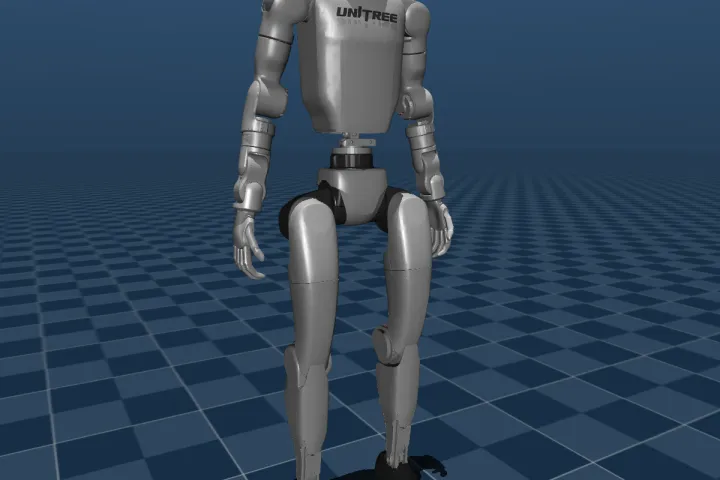 Unitree G1
 Unitree H1
 Booster T1
 Fourier N1
 ToddlerBot
 SO-101 arm
 Franka Research 3
 ALOHA 2
 Crazyflie 2
Menagerie's own README says many models are "not necessarily as good as" they could be. Most have not been checked against measurements of the real robot. The Go2 model, for example, has much more joint damping than Unitree's own MuJoCo model, which keeps its legs from moving fast enough to flip. Models from the robot's maker, or ones used in published sim-to-real work, are usually the safest choice.
Robots with good MuJoCo models
The robots below have an official model from their maker or from Menagerie. Where the maker also trains or checks walking policies in MuJoCo and runs them on the real robot, the table says so. Each robot's page in this guide lists its simulator support in more detail.
| Robot | Type | Model | Notes |
|---|---|---|---|
| Unitree Go2 | Robot dog | Menagerie (unitree_go2), Unitree's unitree_mujoco | Running trained policies on the real robot needs the EDU version's low-level access |
| Unitree Go1 | Robot dog | Menagerie (unitree_go1) | MuJoCo Playground's walking, handstand and getting-up policies ran on the real robot |
| Pupper v3 | Robot dog kit | Stanford's pupperv3-mjx | Stanford trains its walking policy in MuJoCo MJX and runs it on the real robot |
| Spot | Robot dog | Menagerie (boston_dynamics_spot) | Includes a version with the arm. Motor limits must be added by hand. |
| ANYmal C | Robot dog | Menagerie (anybotics_anymal_c) | Joint torque capped at 80 N·m in the model |
| Unitree B2 | Robot dog | Unitree's unitree_mujoco | Also covers the Go2-W, B2-W and A2 |
| Unitree G1 | Humanoid | Menagerie (unitree_g1) | Unitree's unitree_rl_mjlab trains in MuJoCo and runs on the real G1 |
| Unitree H1 | Humanoid | Menagerie (unitree_h1) | unitree_rl_mjlab supports the H1-2 |
| Booster T1 | Humanoid | Menagerie (booster_t1) | MuJoCo Playground walking policy ran on the real robot |
| Booster K1 | Humanoid | Booster's booster_assets | Booster checks Isaac Lab policies in MuJoCo before deployment |
| ToddlerBot 2.0 | Humanoid kit | Menagerie and the ToddlerBot repo | Trained with MJX and run on the real robot |
| Berkeley Humanoid Lite | Humanoid kit | Official MJCF | Trained in Isaac Lab, checked in MuJoCo |
| Fourier N1 | Humanoid | Menagerie (fourier_n1) | Fourier also validates policies in MuJoCo |
| ROBOTIS OP3 | Small humanoid | Menagerie (robotis_op3) | |
| SO-101 | Low-cost arm | Menagerie (robotstudio_so101) | Popular with Hugging Face LeRobot |
| Koch v1.1 | Low-cost arm | Menagerie (low_cost_robot_arm) | |
| AgileX PiPER | Arm | Menagerie (agilex_piper) | |
| Trossen WidowX AI | Arm | Menagerie (trossen_wxai) | Trossen's trossen_arm_mujoco replays simulated motions on the real arm |
| ALOHA 2 | Two-arm station | Menagerie (aloha) | Widely used for learning tasks from demonstrations |
| Franka Research 3 | Research arm | Menagerie (franka_fr3) | Franka Panda results in MuJoCo Playground ran on the real arm |
| UR5e | Industrial arm | Menagerie (universal_robots_ur5e) | |
| Hello Robot Stretch | Mobile manipulator | Menagerie and Hello Robot's stretch_mujoco | |
| Reachy Mini | Desktop robot | Pollen's SDK | The SDK has a built-in MuJoCo mode |
| Crazyflie 2.1+ | Mini drone | Menagerie (bitcraze_crazyflie_2) |
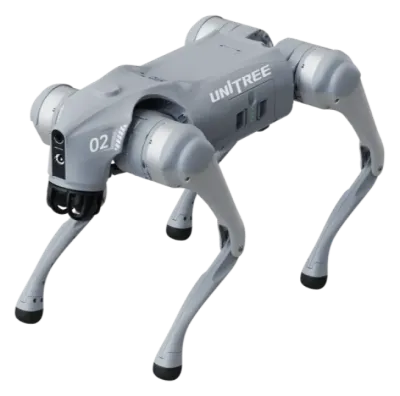 Go2 Air / Pro / X$1,600 / $2,800 / $4,500
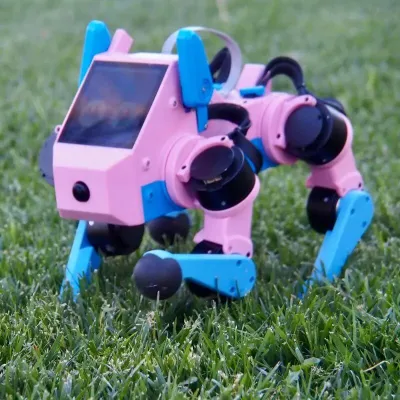 Pupper v3$1,450 – $2,480
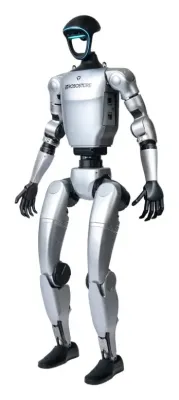 G1$13,500 – $73,900
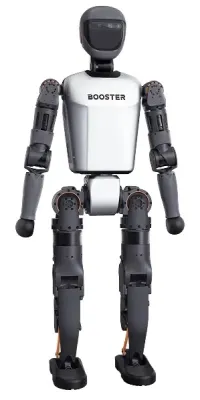 Booster T1~$22k – $51k
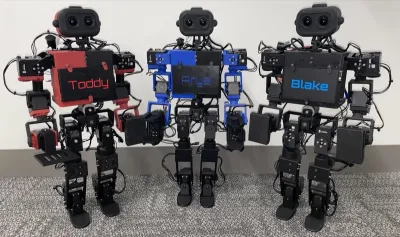 ToddlerBot 2.0~$6,000 DIY · $4,299 built
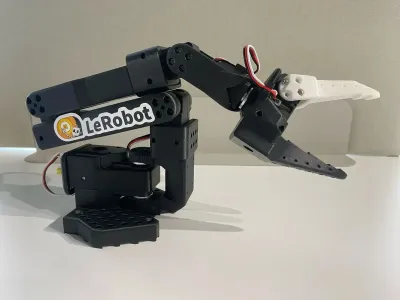 SO-101~$230 DIY parts (pair),…
Simulation examples
The videos below were made for this guide with plain MuJoCo, using no GPU. None of them use a trained neural network. Each move is a short list of leg poses, played in order by a simple joint controller. A search program tried thousands of versions in simulation and kept the best one. Each search took only minutes.
The motors were limited to each robot's published ratings, since a simulated motor with no limits can do almost anything. Each move was also tested on three changed versions of the robot: a slippery floor, a heavier robot with weaker motors, and a grippy floor with a lighter robot.
Unitree Go2 back handspring
Menagerie's Go2 model needed one fix first. Its joint damping is twenty times higher than in Unitree's own MuJoCo model, which held the legs to about 12 radians per second. With Unitree's value, and with motor torque falling to zero at Unitree's rated joint speeds, the best move found was a back handspring. The robot rears up onto its back legs and pushes off past vertical. It turns over in the air, catches itself on its front legs and swings its back legs down to the floor.
The body rises about 33 cm and turns a full 360 degrees without touching the floor. The fastest joints reach 27 of their rated 30 radians per second. The move landed on all four test versions of the robot. A flip that takes off from all four feet was not found with this simple method.
Boston Dynamics Spot backflip
Spot's Menagerie model has no real motor limits, so this run used the ones Boston Dynamics publishes for its Joint Control API. The hip motors give about 45 N·m through a 51:1 gearbox. The knee works through a push rod, so its limit changes with the knee angle. It ranges from 37 N·m when fully bent to 113 N·m in the middle of its range.
With those limits, Spot does a fully airborne backflip. Its feet leave the floor when the body has turned about 20 degrees and touch down at about 340 degrees, and then it stands back up. Boston Dynamics publishes no joint speed limits, and the joints here reach about 46 radians per second, so the real motors may not manage this exact move. It is also much more fragile than the Go2 handspring. On the slippery floor, the heavier robot and the grippy floor, it lands on its back or side.
Pupper v3 jump
The Pupper v3 is a small open-source robot dog from Stanford. Its model came from Stanford's pupperv3-mjx training code. That model caps motor torque but has no speed limit, so the first search found a jump that spun the joints faster than the real motors can turn. With a torque-speed limit added from the motor's listing, the best jump clears about 18 cm under the feet and lands upright on all four test versions. The same search found a 3-second stand on the back legs, but no clean flip. The small motors give only about 0.3 seconds in the air, too little to turn all the way over.
A flip that is too good to be true
Menagerie's Spot model lets each joint push with up to 1,000 N·m and turn at any speed. Given that model, the same search found a double front flip, more than a meter in the air. It used the full 1,000 N·m and spun joints at over 110 radians per second. That is roughly nine times the torque of Spot's real knees at their strongest. With Boston Dynamics' published limits in place, no front flip landed at all. The lesson applies to every simulator. A result is only as believable as the motor limits in the model, and a search will find any loophole the model leaves open.
Features and capabilities
- Contact physics. MuJoCo's main strength is contact. It treats contact as a slightly soft constraint and solves all contacts together, which keeps feet and fingers stable even with many touching points. It handles sliding, twisting and rolling friction.
- Speed. A small robot dog runs many times faster than real time on one laptop CPU core. The Python
rolloutmodule runs many copies across all cores. - Actuators. Motors can be modeled as direct torque, position servos, velocity control, hydraulic cylinders, muscles or suction. A DC motor model added in 2026 can include winding inductance, cogging and heating.
- Sensors. Touch, force, torque, accelerometer, gyro (together an IMU), joint position and speed, and rangefinders. Rendered camera images and depth images are available too.
- Tendons and constraints. Cables, pulleys and closed linkages, such as the push-rod knees on Spot or the linkages in some humanoid legs.
- Soft bodies. Since version 3.0, cloth, rope and soft objects can be simulated, along with soft finger pads.
- Muscles. Biomechanics researchers use MuJoCo's muscle models to simulate human and animal bodies.
- Inverse dynamics. MuJoCo can work out the forces needed to produce a given motion, which helps with control design and with motor sizing.
- Interactive viewer. A built-in viewer shows the robot, its contacts and its forces. Bodies can be dragged with the mouse to test balance.
- Model editing. The mjSpec interface, added in 2024, lets a program build or change a model, such as adding a payload or swapping a leg.
Rendering is basic by default. The classic OpenGL renderer, used for the screenshots on this page, shows plain materials and simple shadows. A newer renderer based on Google's Filament engine adds more realistic lighting, but it is still far from the ray-traced images of NVIDIA Isaac Sim.
Platforms and installation
MuJoCo is a C library with official Python, C# and JavaScript bindings. Most robot work uses Python, installed with pip install mujoco. Community bindings exist for MATLAB Simulink, Julia, Rust, Swift and Java. A Unity plug-in brings MuJoCo models into the Unity game engine.
| Platform | Support | Notes |
|---|---|---|
| Linux (x86-64 and ARM) | Full | The main platform for research. ARM wheels run on a Raspberry Pi 5 or Jetson. |
| Windows (x86-64) | Full | No Windows on ARM build |
| macOS (Apple Silicon) | Full | Scripts that open the live viewer must be started with mjpython instead of python |
| macOS (Intel) | Partial | No Python wheels since version 3.11.0 (July 2026). The C library is still universal. |
| ChromeOS | Partial | Runs only inside the Linux development environment. The viewer depends on the Chromebook's graphics support. |
| Web browsers | Early | An official WebAssembly build, still marked work in progress |
| Python | 3.10 to 3.15 |
No graphics card is needed for simulation. On a fast recent laptop, the robot dog simulations on this page ran about 30 times faster than real time on a single CPU core. A Unitree G1 humanoid with both hands ran at about the same speed. Budget laptops and Chromebooks have much slower processors, but that margin should still cover one robot in real time. Chromebooks are the hardest case. MuJoCo runs there only inside ChromeOS's Linux development environment, which school and work administrators can turn off. The live viewer also depends on the Chromebook's graphics support, so it may be slow or fail to open. A GPU only matters for the large-scale training described next.
GPU training with MJX, MuJoCo Warp and Playground
Reinforcement learning needs millions of practice attempts. Running thousands of simulated robots at once on a graphics card makes that practical. MuJoCo has two GPU versions for this.
- MJX rewrites MuJoCo in Google's JAX library. It runs on NVIDIA and AMD GPUs and Google TPUs. It lacks some features, such as soft bodies, and is slow with detailed mesh shapes. On a Mac, JAX runs on the CPU only, which is much slower.
- MuJoCo Warp is built with NVIDIA, in NVIDIA's Warp language. It needs an NVIDIA GPU for speed and supports nearly every MuJoCo feature. It is newer and still labeled alpha.
Two training frameworks sit on top. MuJoCo Playground, from DeepMind and university partners, provides ready-made training tasks. Its policies ran on real robots with no extra tuning, including the Go1 (walking, handstand and getting up), the G1, the Booster T1 and a Franka arm. Most trained in 5 to 30 minutes on two RTX 4090 graphics cards. mjlab combines the Isaac Lab programming style with MuJoCo Warp. Unitree's G1 and H1-2 training code uses it.
A common pattern is to train in one simulator and check in another. Many makers train in Isaac Lab, then run the policy in MuJoCo before trying it on the robot. This step, often called sim-to-sim, catches policies that only work because of quirks in one physics engine. See sim-to-real in the glossary for the next step. The Robot Gaits guide covers training specific gaits, with typical training times.
Limitations
- The model is the weak point. Masses, motor strengths, friction and joint damping in public models are often guesses. As the flips above show, a model with no motor limits gives results that no real robot can match.
- Simple motors by default. A standard MuJoCo motor gives the same torque at any speed. Real motors lose torque as they spin faster, and have delays, heating and battery sag. These can be modeled, but each one has to be added on purpose.
- Convex collision shapes. A mesh collides as its convex hull, as if shrink-wrapped. A cup collides as a solid lump unless it is split into pieces or modeled another way.
- Soft contact needs tuning. Objects sink into each other slightly. Badly chosen contact settings give too much sinking, sliding or jitter.
- No real fluids. The docs say proper fluid simulation is "beyond the scope of MuJoCo". Only simple drag and lift are modeled, so swimming and flying robots need other tools for accurate results.
- Plain camera images. Images lack realistic lighting, lens effects and sensor noise. Vision models trained on them often fail on real camera images.
- No built-in ROS 2. ROS 2 robots need a community bridge such as mujoco_ros2_control. Gazebo and Isaac Sim connect to ROS 2 more directly. See the ROS 2 Guide for more.
- Small scenes. MuJoCo is built for one robot and the objects near it. It has no tools for building large worlds like houses or city streets.
- The sim-to-real gap. Even a good model differs from the real robot. Fixed sequences of poses, like the flips above, are especially fragile. Real robots that flip usually run trained policies that react to their sensors. Quadruped Design Validation lists the checks that narrow this gap before a robot dog is built.
Comparison with other simulators
| Simulator | License | Hardware | Best for |
|---|---|---|---|
| MuJoCo | Apache 2.0 | Any CPU, GPU optional | Contact-rich legged and arm research, robot learning |
| Isaac Sim and Isaac Lab | Open source, on NVIDIA Omniverse | NVIDIA RTX GPU required | Photo-realistic cameras, large GPU training, ROS 2 bridge |
| Gazebo | Apache 2.0 | CPU | ROS 2 robots, navigation and mapping |
| Webots | Apache 2.0 | CPU | Teaching, ready-made robot models |
| PyBullet | zlib | CPU | Older research code, now little developed |
| Genesis | Apache 2.0 | NVIDIA, AMD and Apple GPUs, or CPU | Newer GPU simulator with several physics types |
Getting started
A robot model can be on screen within a few minutes. The steps below use Python and a Menagerie model.
pip install mujoco
git clone https://github.com/google-deepmind/mujoco_menagerie
python -m mujoco.viewer --mjcf mujoco_menagerie/unitree_go2/scene.xml
The viewer opens with the robot on a floor. Double-clicking a body selects it, and dragging with Ctrl held pushes it. A short script can then step the simulation and send motor commands:
import mujoco
model = mujoco.MjModel.from_xml_path("mujoco_menagerie/unitree_go2/scene.xml")
data = mujoco.MjData(model)
mujoco.mj_resetDataKeyframe(model, data, 0)   # the model's standing pose
for _ in range(1000):                          # 1000 steps of 2 ms = 2 seconds
    data.ctrl[:] = 0.0                         # motor torques go here
    mujoco.mj_step(model, data)
print(data.qpos[2])                            # body height after 2 seconds
With zero torque the Go2 slumps to the floor, which shows the first job of any controller, holding the robot up. From there, the official Python tutorial and the MuJoCo Playground notebooks are good next steps. The Robotics Courses page lists free courses on robot learning.