Overview
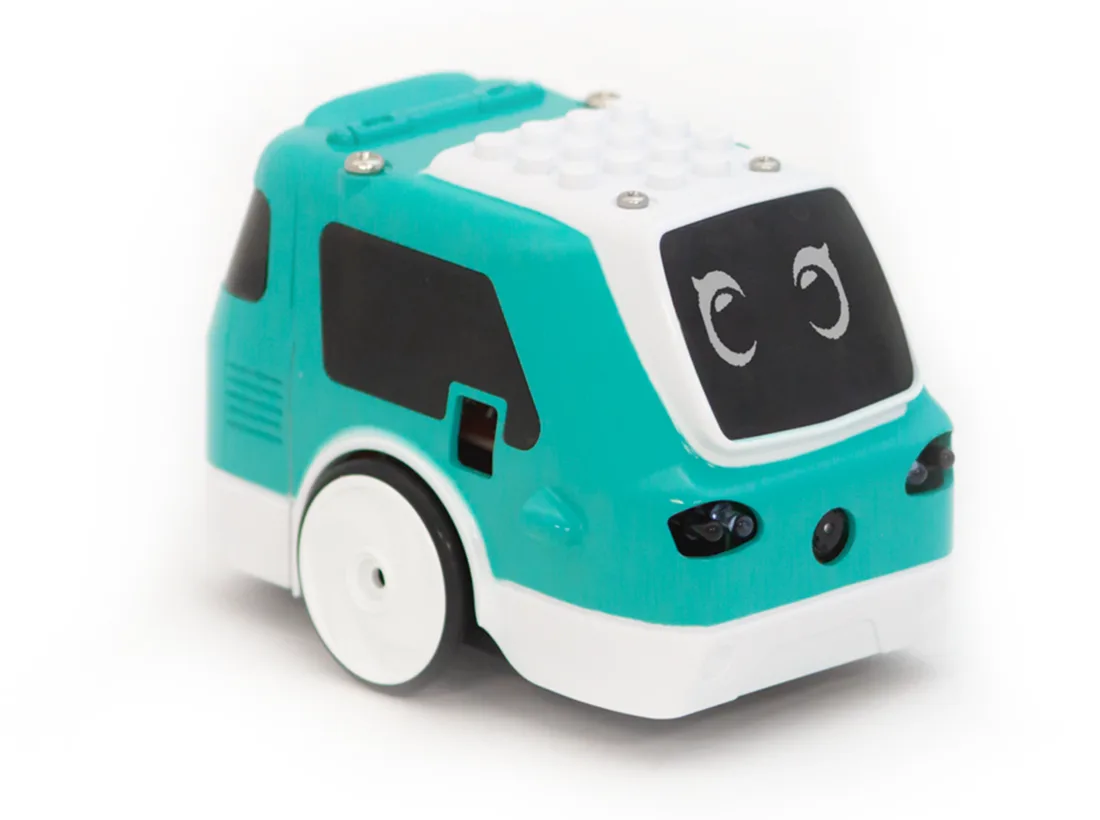
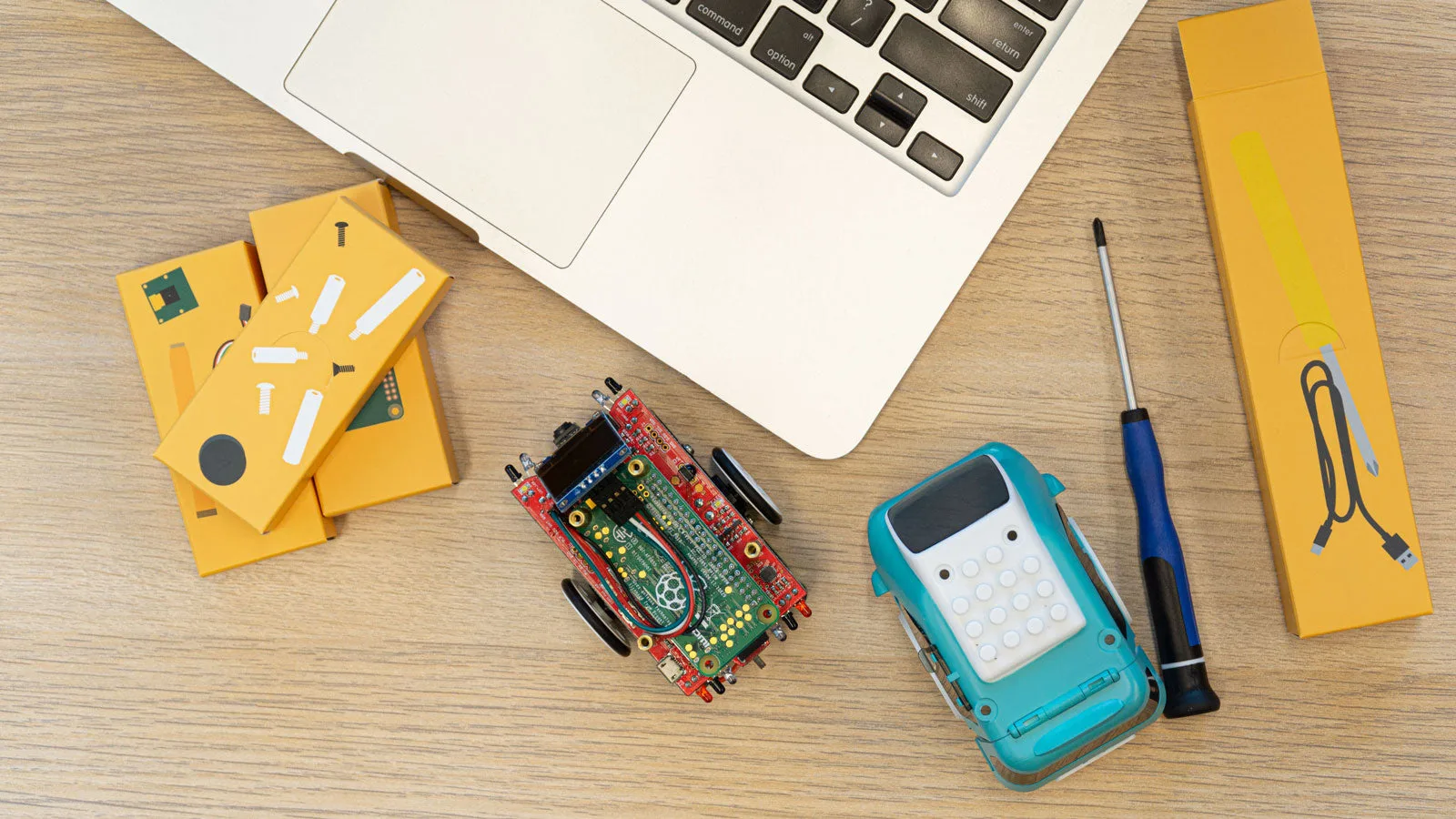
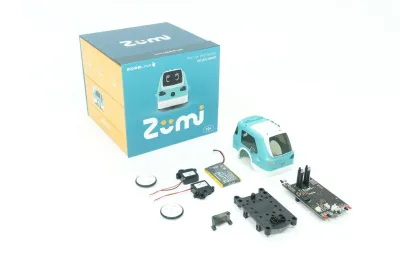
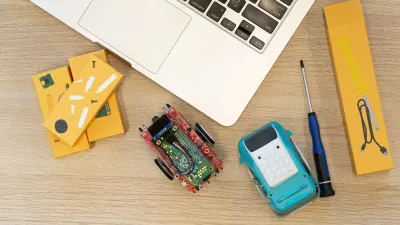
Zumi is a palm-sized self-driving car kit from San Diego's Robolink, built around a Raspberry Pi Zero, a Pi Camera and six infrared sensors. Students assemble it and then work through lessons on driving, sensors, computer vision and simple machine learning. The car learns colors, hand gestures and faces, reads QR codes and stop signs, and follows lines on a printed road mat. Lessons start in Blockly and move to Python in Jupyter notebooks running on the car itself. It launched on Kickstarter at CES 2019, and Robolink ran Zumi self-driving competitions for students. The Pi Zero is slow for heavy vision and has no encoders, so it suits classroom AI lessons more than real mapping. A larger Pi car like the PiCar-X has more compute headroom but no ready-made AI curriculum of the same kind.
- Type
- Wheeled robot · Ready-made dev rovers
- Maker
- Robolink (USA)
- Released
- 2019
- Price
- $179.99
- Status
- Available
- Best for
- Ages 10+
- Programming
- Full SDK
Price and shipping
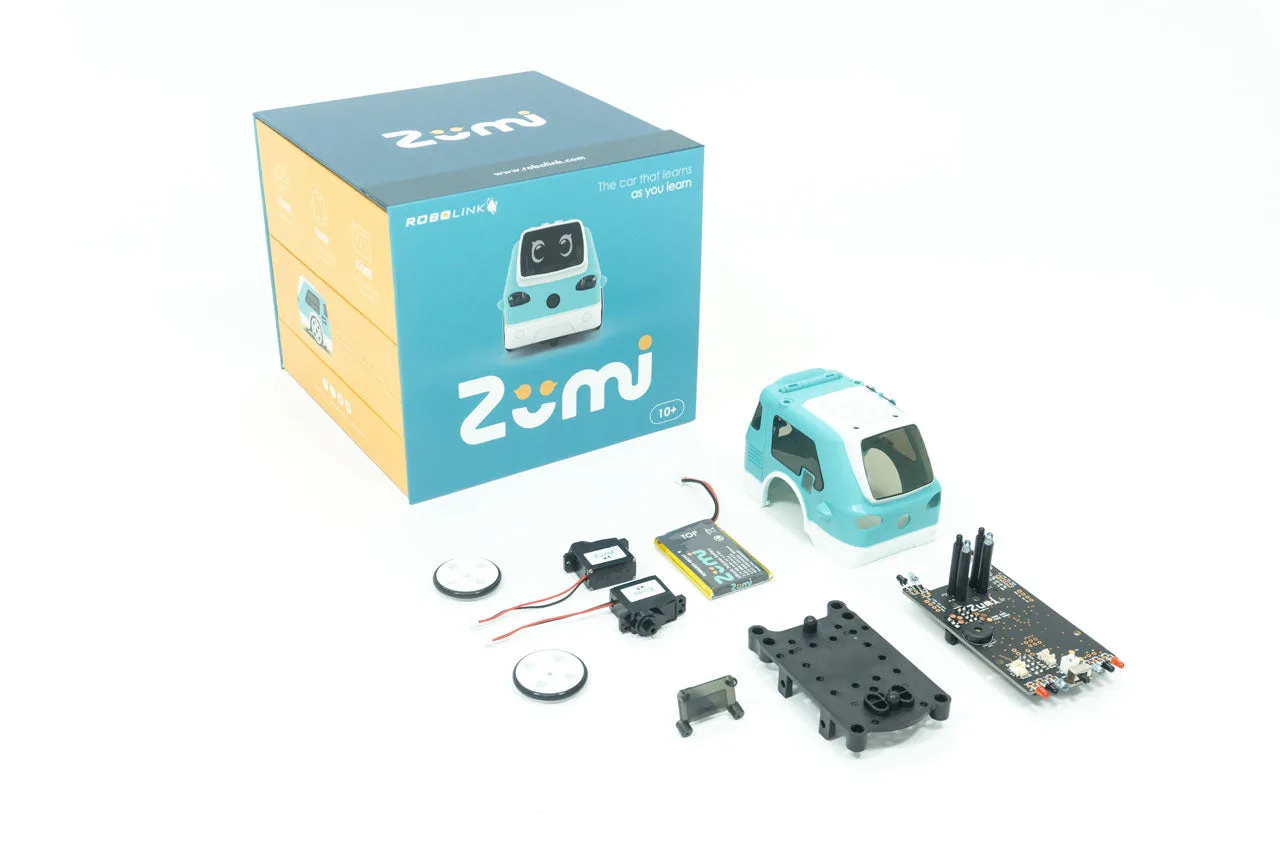
$179.99 for one Zumi kit (SKU RL-ZM-100) on the Robolink store, listed as available in an October 2026 check. A Classroom Set of 10 kits with 30 minutes of professional development is $1,799.90. Activity cards ($25), a Driving School mat ($49.99) and a Zumitown mat ($124.99) are sold separately. The kit includes the Raspberry Pi Zero, Pi Camera, microSD card, LiPo battery and a screwdriver, so nothing else is needed. Kickstarter pledges in early 2019 started around $148 (£114).
Shipping: In stock at Robolink. Robolink sells the kit directly from its online store, and it showed as available in an October 2026 check. Robolink is based in San Diego, and its shipping origin and times are not stated on the product page (unconfirmed). Robolink ↗
Specifications
| Category | Wheeled rovers · Ready-made dev rovers |
|---|---|
| Released | 2019 |
| Country | USA |
| Availability | Available |
| Programmability | Full SDK |
| Built-in autonomy | Reactive · Responds to its surroundings without a map, such as avoiding obstacles or following a person |
| LLM support | Possible via SDK · Programmed in Blockly or Python through the Zumi library, with no LLM features. Its machine-learning lessons train small models such as a KNN color classifier on the robot. Zumi Python function documentation ↗ |
| MuJoCo simulation | None found · Nothing found. |
| NVIDIA Isaac simulation | None found · Nothing found. |
| Gazebo simulation | None found · Nothing found. |
| Best for | Ages 10+ (maker rating) |
| Vision sensors | Camera |
| Actuators | DC / gear motors |
| Audio | Speaker |
| Compute type | Raspberry Pi, Arduino / ESP32 / microcontroller |
| Remote control | Via SSH / web / bridge |
| Size | 95 × 67 × 70 mm (3.7 × 2.6 × 2.8 in), 153 g |
| Drive | 2-wheel differential drive with two DC gear motors and no wheel encoders. The gyro keeps it driving straight and times its turns |
| Compute | Raspberry Pi Zero, likely the Zero W Wi-Fi model (unconfirmed), on a Robolink main board whose Arduino-programmed microcontroller drives the motors, sensors, OLED and lights over I2C (chip model unconfirmed) |
| Vision | Raspberry Pi Camera (front-facing, resolution set in code, Robolink examples run from 60×32 to 1280×960) |
| Lidar | None |
| Sensors | Six infrared sensors (front left and right, back left and right, two facing down for line following), gyroscope and accelerometer (MPU), battery voltage, 128×64 OLED face screen, buzzer, headlights, brake lights and turn signals |
| Runtime | 3.7 V 950 mAh LiPo, about 40 minutes per the spec table (about 1 hour per the kit contents list), 1 hour charge |
| Speed | Not published |
| SDK | Zumi Dashboard served from the robot to a web browser, with Blockly lessons and Python in Jupyter notebooks. The Zumi Python library (function docs v2.92) covers driving, IR, gyro, OLED, sound and lights, plus OpenCV-based face, smile, stop-sign and QR detection, line following and a KNN color classifier. Firmware for the main board is open source (Arduino) |
Timeline
- Campaign launchedRobolink launched Zumi on Kickstarter during CES 2019, with pledges from around $148 (£114). EFTM ↗
- Estimated deliveryRobolink planned to start shipping Zumi worldwide in May 2019. Stuff.tv ↗
- Trade showRobolink held the first Zumi self-driving competition, a ride-share pickup challenge, at UC San Diego. Robolink ↗
- UpdateZumi Dashboard 2.92 added Korean Blockly translations and removed the Python beta lessons, the latest listed release. zumi-version (GitHub) ↗
Common questions
How much does Zumi cost?
Zumi is listed at $179.99. $179.99 for one Zumi kit (SKU RL-ZM-100) on the Robolink store, listed as available in an October 2026 check. A Classroom Set of 10 kits with 30 minutes of professional development is $1,799.90. Activity cards ($25), a Driving School mat ($49.99) and a Zumitown mat ($124.99) are sold separately. The kit includes the Raspberry Pi Zero, Pi Camera, microSD card, LiPo battery and a screwdriver, so nothing else is needed. Kickstarter pledges in early 2019 started around $148 (£114).
Can Zumi be bought today?
Yes, it is on sale. Robolink sells the kit directly from its online store, and it showed as available in an October 2026 check. Robolink is based in San Diego, and its shipping origin and times are not stated on the product page (unconfirmed).
Who makes Zumi?
Zumi is made by Robolink (USA). It came out in 2019.
Can Zumi be programmed?
Full SDK. Zumi Dashboard served from the robot to a web browser, with Blockly lessons and Python in Jupyter notebooks. The Zumi Python library (function docs v2.92) covers driving, IR, gyro, OLED, sound and lights, plus OpenCV-based face, smile, stop-sign and QR detection, line following and a KNN color classifier. Firmware for the main board is open source (Arduino).
Does Zumi have AI chat or LLM support?
Possible via SDK. Programmed in Blockly or Python through the Zumi library, with no LLM features. Its machine-learning lessons train small models such as a KNN color classifier on the robot.
What age is Zumi for?
Ages 10+, per the maker.
Ratings & reviews
Ratings and reviews load on the live site.
Related guides
- ROS 2 Guide · the software framework many robots use
- Robot Vision and Depth Sensors · cameras, lidar and other distance sensors
- Raspberry Pi Guide · every Pi compared for robot use
Similar robots
 MARS (Builders Edition)
 UGV Rover (PT / ROS 2 kit)
 UGV Beast (tracked)
 TurtleBot 4 / 4 Lite
 MentorPi M1
 ROSMASTER X3
Sources
Zumi Python function documentation ↗ · Zumi docs (Robolink) ↗ · Zumi lessons and demos (GitHub) ↗ · Zumi board firmware (GitHub) ↗ · Zumi Dashboard update log (GitHub) ↗ · Stuff.tv launch coverage (2019) ↗ · EFTM at CES 2019 ↗